CSS Feature Clips: Looping Product Demos Without Video
Replace homepage GIFs and videos with looping product demos in plain HTML and CSS. Live examples, the source, and a copy-paste AI prompt for any framework.
Replace homepage GIFs and videos with looping product demos in plain HTML and CSS. Live examples, the source, and a copy-paste AI prompt for any framework.
Free technique and prompt
A clip is a 10-second loop of simplified UI in plain HTML and CSS. It stays sharp at any size, follows your theme, plays before any JavaScript loads, and you edit it instead of re-recording it. It works in any framework.
Get the prompt$ stepshots record signup-flow
Using config: /home/ada/acme/stepshots.config.json
Recording: Sign up (signup-flow)
Created: output/signup-flow.stepshot (4 steps)
Next: upload to your dashboard with
stepshots upload output/signup-flow.stepshot
These are real Stepshots flows with sample data. All three clips on this page share one stylesheet of 3.3 KB gzipped, and none of them use JavaScript.
SelectHotspotHighlightBlurZoomArrowSavedSave
WorkspaceAcme Inc
API keyacme_7f3k92hd81acme_7f3k92hd81
PlanPro
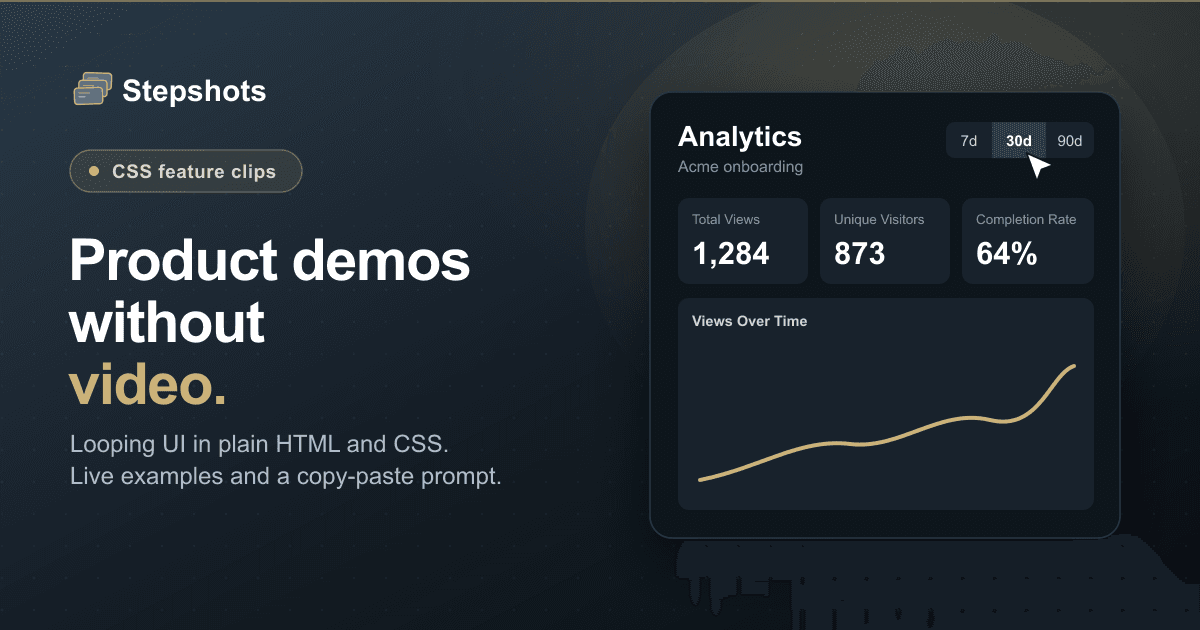
Acme onboarding
7d30d90d
Total Views4121,284
Unique Visitors268873
Completion Rate58%64%
Views Over Time
Paste it into your coding agent and fill in the feature.
Build a looping product demo clip for my marketing page as mock UI in plain HTML and CSS keyframes. No video, no GIF, no JavaScript.

The feature to show: [describe one short flow, e.g. "user invites a teammate and the seat count goes up"]

Rules:
1. Show only what the product does. Read the real UI first and copy its labels exactly. Where the product produces output, run it and copy that. Simplify, but never invent features, buttons or results. Use a fictional company such as Acme for sample data.
2. Write the story as 3 or 4 beats on a 10-second, 0-100% timeline. Leave 3% at the start and 4% at the end for a loop fade on the clip body.
3. Base styles are the last frame. Without keyframes every element must already look finished, so anything that leaves during the loop has a base of opacity: 0.
4. Size everything in em so the mock scales like a video:
   .fc { container-type: inline-size; width: 100%; aspect-ratio: 740 / 415; }
   .fc-stage { position: relative; height: 100%; overflow: hidden; font-size: 2.2cqw; }
   The stage is about 45.45em by 25.5em. Avoid px inside the clip.
5. Use the project's theme tokens so the clip follows light and dark. Hard-code only things that have one colour in real life, such as a terminal.
6. Share timing through reusable classes (fc-in-30 appears at 30%) rather than one keyframe per element. Type text by stepping clip-path: inset(0 100% 0 0) to inset(0) with steps() sized to the character count.
7. For a value that changes, stack both in one grid cell. Swap text instantly with step-end, because two labels mid-fade smear.
8. Give the cursor its own keyframes with top/left percentages and a brief scale(0.8) per click. Its tip is the top-left corner, so aim near the target, not over its text.
9. Add this, because looping clips would otherwise end on their reset state:
   @media (prefers-reduced-motion: reduce) {
     .fc-body, .fc-body * { animation: none !important; }
     .fc-cursor { display: none; }
   }
10. Put role="img" and an aria-label describing what happens on the clip.

Use my framework's component syntax, but keep the output plain HTML and CSS.

Then check it: pause all animations with document.getAnimations(), set currentTime to one frame per beat, and screenshot each. Confirm the cursor lands on its target, nothing overflows at 390px wide, both themes work, and the reduced-motion frame reads correctly.No build step or library. Because it's plain markup, it ports to React, Vue, Svelte, Astro, Rails or Dioxus by changing only the template syntax.
<div
  <div class="fc-stage">
    <div class="fc-body">
      <span class="swap">
        <span class="draft">Draft</span>
        <span class="live">Published</span>
      </span>
    </div>
  </div>
</div>

<style>
.fc { container-type: inline-size; width: 100%; aspect-ratio: 740 / 415; }
.fc-stage { position: relative; height: 100%; overflow: hidden; font-size: 2.2cqw; }
.fc-body { animation: fc-loop 10s linear infinite; }
.swap { display: inline-grid; }
.swap > * { grid-area: 1 / 1; }

/* Base styles are the last frame: Published shows, Draft doesn't. */
.draft { opacity: 0; animation: fc-draft 10s step-end infinite; }
.live { animation: fc-live 10s step-end infinite; }

@keyframes fc-draft { 0% { opacity: 1; } 50%, 100% { opacity: 0; } }
@keyframes fc-live { 0% { opacity: 0; } 50%, 100% { opacity: 1; } }
@keyframes fc-loop { 0% { opacity: 0; } 3%, 96% { opacity: 1; } 100% { opacity: 0; } }

@media (prefers-reduced-motion: reduce) {
  .fc-body, .fc-body * { animation: none !important; }
}
</style>A clip is a simplified mock, so it proves less than the real product. Use it to explain, and use a recording to prove.
Stepshots records your actual product into a clickable demo you can embed and track.
Create your first demoTexto de stepshots.com tal como lo publicó, leído de su página y mostrado aquí con el formato de El Autómata. El original, en stepshots.com · Volver a la noticia de El Autómata