oTAPE · The open digital cassette format
An open format for digital cassettes: two sides of fixed length, continuous recordings, artwork and cassette-style controls in one portable file.
An open format for digital cassettes: two sides of fixed length, continuous recordings, artwork and cassette-style controls in one portable file.
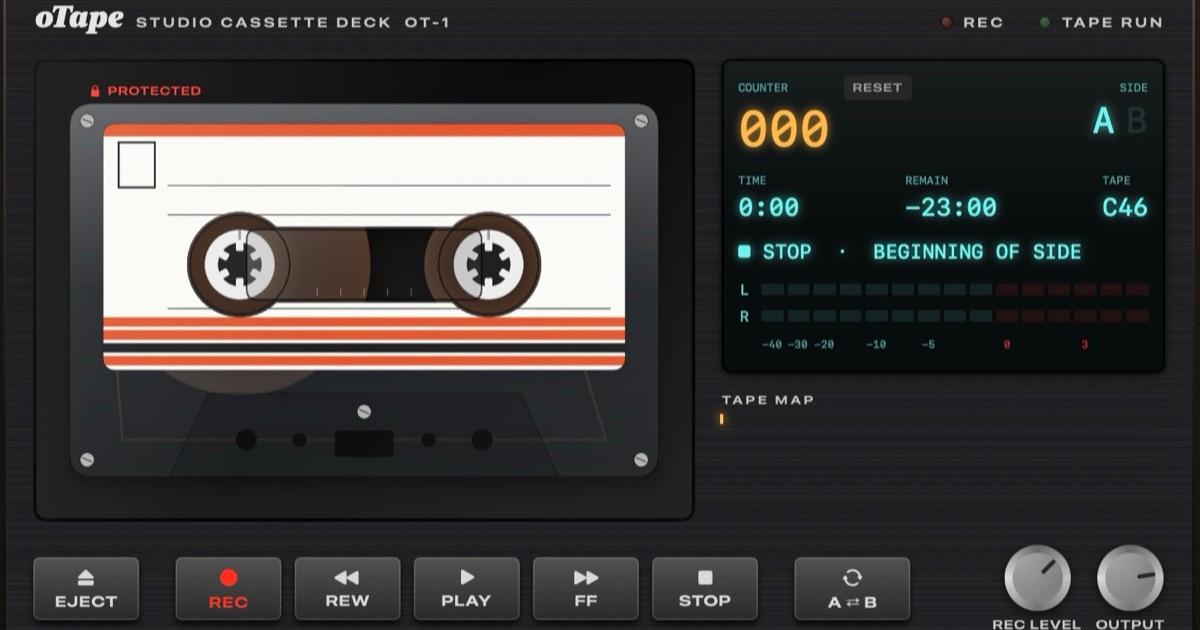
oTAPE 1.0 · open specification · release candidate
oTAPE is an open format for digital cassettes. One .otape file holds two sides of fixed length, each a single continuous recording, together with the label, J-card and record tabs. In an oTAPE player you rewind, fast-forward, flip the tape and record over it.
The player below runs in any modern browser. Record in Studio Web or Studio for Mac. The format itself is in the specification.
Extension.otape
ContainerZIP + JSON
AudioAAC in M4A
LicenseCC BY 4.0
Shell Ferro Black
Drawn in your browser from the cassette's appearance JSON. The reels follow the spec's tape-pack model.
01 Try it
This is the oTAPE Web Deck. It comes loaded with Gitsem, a C10 single that Mirat Can Bayrak wrote at 24 and recorded again at 42, and plays any .otape you open or drop on it. Files are read in your browser and never uploaded. The deck only plays; to record, use Studio Web or Studio.
Gitsem by Mirat Can Bayrak, licensed under CC BY 4.0. Source.
oTAPE Web cassette deck OT-W RECTAPE RUN
Insert cassette
Download Open .otape…
or drop a file anywhere on the deck
Counter---
SideAB
Time-:--
Remain-:--
Tape---
NO CASSETTE
Now—
Tape mapclick to wind
0:00
Output
Space play / stop ←→ rewind / fast forward F flip E eject
02 How it works
An audio file stores a recording. An oTAPE file describes a whole cassette: its tape, its two sides, how it plays and records, and the paper that comes with it. Apps that follow the specification open the same file and handle it the same way.
You choose the length before recording: C46, C60, C90, C120, or a custom length up to 90 minutes a side. Both sides share one tape, so the end of side A is the start of side B.
Each side is one audio file, played from start to end. Gaps, spoken intros and the click of the pause button are part of it. Track markers can name songs without splitting the side.
Players reach a position by winding the tape, which takes a little time, rather than jumping straight to a track. Past the end of the recording is blank tape, which plays as silence.
The apps record in real time. A new take starts at the head and replaces what was there; the rest of the side stays as it was. A record tab on each side protects finished recordings.
Playing never writes to the file, so a cassette can be read-only, shared or synced without changing. A player may remember where you stopped, locally, on that device.
A ZIP archive with one JSON manifest, audio in AAC (in M4A), ALAC, FLAC or WAV, and PNG or JPEG artwork. Unzip a cassette and every part opens in existing tools.
03 Why a separate format
M4A already stores audio, cover art and tags, and almost every player opens it. oTAPE doesn't replace it: a recorded side inside an .otape file is usually an ordinary M4A file. What oTAPE adds is an agreed meaning for the whole cassette.
| Feature | An M4A file | An .otape file |
|---|---|---|
| Audio | AAC or ALAC | The same AAC or ALAC in M4A, or FLAC or WAV, one file per side |
| Artwork | Cover art, any size | Shell, label, J-card front, spine, flap and booklet, each at a fixed size in millimetres |
| Two sides on one tape | No shared convention | Fixed side length; flipping maps position p to L − p |
| Recording over | No shared convention | Overwrite in place from the head; the rest of the side is untouched |
| Write protection | No shared convention | A record tab per side: intact, broken or taped over |
| Opens in | Almost any player | oTAPE apps; or unzip it and play the sides on their own |
None of this needs a new codec, and MP4 metadata could carry the same information. What's missing is a set of rules that independent apps implement the same way: how long a side is, what happens when you record halfway through it, when a recorder must refuse. The specification is that set of rules. The ZIP is the box that holds the parts.
The cost is real. An ordinary music player doesn't understand an .otape file, so you need an oTAPE app for the full experience. If you only want the sound, unzip the cassette and play the files in audio/.
04 Artwork
Shell and label artwork, the J-card's front, spine and back flap, a fold-out booklet, liner notes and a dedication. Every image slot has a size in millimetres, so artwork made in one app fits in any other. A cassette without images is drawn from a few lines of JSON instead.
| Slot | mm | Recommended px |
|---|---|---|
| Cassette face A / B | 100.4 × 63.8 | 2410 × 1531 |
| Label A / B | 89.0 × 42.0 | 2136 × 1008 |
| J-card front | 63.5 × 101.6 | 1524 × 2438 |
| J-card spine | 12.7 × 101.6 | 305 × 2438 |
| J-card back flap | 25.4 × 101.6 | 610 × 2438 |
| Booklet panel | 63.5 × 101.6 | 1524 × 2438 |
| Thumbnail | square | 1024 × 1024 |
24 px/mm recommended, 12 px/mm minimum, aspect ratio within ±1%. Shell and label images must be transparent over the window and hub holes, so the player's reels show through.
05 The medium
You choose a length before you record, and it doesn't change afterwards. Each side has a record tab: break it off and recorders refuse to record on that side; cover the hole with tape and it's recordable again.
Custom: minutes per side
A custom tape is named like a real one: C plus its total length in minutes. Tape length and thickness follow the reel model in Appendix B.3 of the spec.
Recording allowed:
This isn't DRM. Like the tab on a real cassette, it protects a finished tape from being recorded over by accident, and anyone can tape over the hole.
06 Inside the file
An .otape file is an ordinary ZIP archive with a fixed layout: a mimetype entry first, so tools can identify the file without unzipping it, then the manifest, one audio file per recorded side, and optional artwork and documents.
night-drive.otapeZIP
mimetype               application/vnd.otape.cassette
manifest.json          the cassette, sides A and B, the look
audio/
  side-a.m4a           AAC-LC, one continuous take
  side-b.m4a           omitted while the side is blank
artwork/               optional, fixed physical sizes
  cassette-face-a.png
  label-a.png
  jcard-front.jpg  jcard-spine.png
  booklet-01.png …
docs/                  booklet.html, notes.md
manifest.json · a blank C60
{
  "format": "oTAPE",
  "format_version": "1.0",
  "cassette": {
    "id": "550e8400-e29b-41d4-a716-446655440000",
    "title": "Night Drive",
    "type": "C60",
    "side_length_seconds": 1800,
    "created_at": "2026-10-28T22:00:00Z"
  },
  "sides": {
    "A": { "write_protect": "intact", "audio": null },
    "B": { "write_protect": "intact", "audio": null }
  }
}
Media typeapplication/vnd.otape.cassette
Apple UTIorg.otape.cassette
AudioAAC-LC in M4A, which every player must support. ALAC, FLAC and PCM are optional.
TimelineInteger frames at 44.1 or 48 kHz, exact to the sample
MagicPK\x03\x04 at offset 0, the media type at byte 38
VersionsMAJOR.MINOR. Minor versions only add optional fields, and unknown data is preserved.
What it gives
What it costs
mimetype entry must come first and be stored uncompressed, which some ZIP libraries need to be told explicitly. It's what puts the media type at byte 38.07 Apps
Three apps read oTAPE 1.0 today, two of them also record. All three are by the author of the specification so far; the format is open, so anyone can write another.
Play
Plays any oTAPE 1.0 cassette and shows its J-card, manifest, history and the reader checks from §16.1. Playback only.
Any modern browser · on this page
Open the deckPlay · record · design
A cassette deck in the browser. Records in real time from your own audio files, an internet radio station or any audio input. Designs the shell, label and J-card, and validates every cassette it opens. Can be installed as an app that opens .otape files.
Records in current Chrome, Edge and Safari · Firefox plays · free
Open studio.otape.orgPlay · record · design
A cassette deck with a CD/MP3 source player and an internet radio tuner. Records in real time; song titles from the radio become track markers and lines on the J-card. Saves AAC at 256 kb/s and keeps data written by other oTAPE apps.
v1.2 · macOS 14+ · .dmg · 2.6 MB
Download for Mac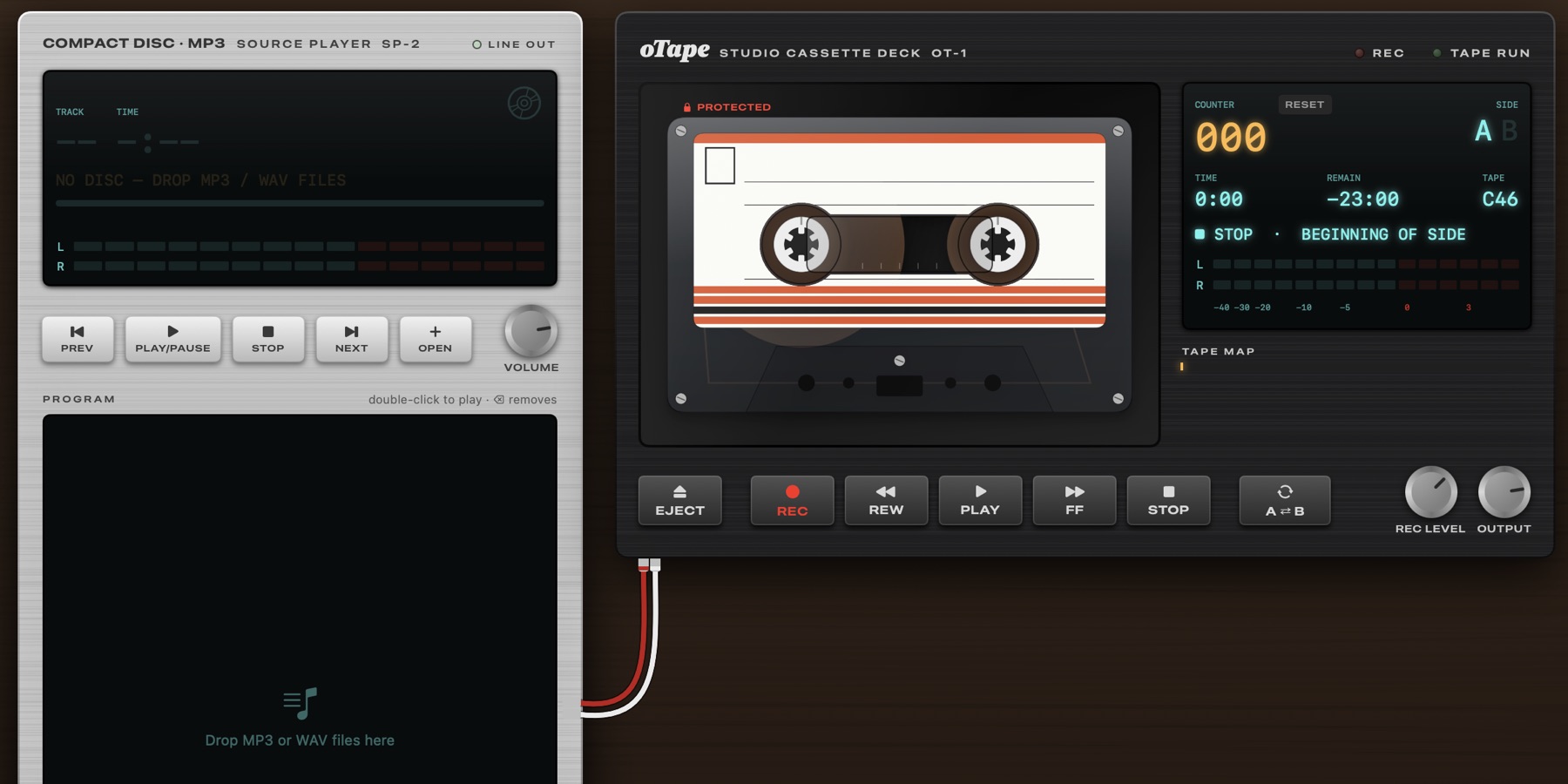
Built something that reads or writes oTAPE? Open a pull request to add it to the list.
08 Tape sound
A cassette sounded different in every player. The oTAPE apps can play a tape the way a machine of the era would: a studio deck, a car stereo, a worn portable. The effect is applied on the way to your speakers. The file stays exactly as it was recorded.
oTAPE Tape sound selector TS-6
Speed+0.00 %
Pitch over the last five seconds
Nothing is baked in. Your .otape file isn't touched, recordings stay clean, and you can switch machines in the middle of a song.
Machines are small preset files. Each is an .otsound file written in real-world units: percent of speed, decibels, hertz. oTAPE Sound is a separate draft, not part of oTAPE 1.0. The deck on this page, Studio Web and Studio 1.2 share the same six built-in presets.
09 For developers
The specification is licensed CC BY 4.0. Anyone can implement it in free or commercial software, without royalties or permission. A basic player comes down to five steps.
manifest.json. Check format == "oTAPE" and that the major version is 1.audio.file and treat it as exactly recorded_frames long. The rest of the side is blank tape.appearance, or from the artwork images if there are any.cassette.id.Validate a cassette
# optional: enables the JSON Schema check
pip install -r tools/requirements.txt
python3 tools/otape_validate.py my-mixtape.otape
VALID my-mixtape.otape
10 FAQ
An open file format for digital cassettes. An .otape file holds two sides of fixed length, each one continuous recording, plus the cassette's artwork, J-card and record tabs. The specification defines how compatible apps play, wind, flip and record it.
The recorded sides inside a cassette are usually M4A files. oTAPE adds the rules for the whole cassette (two sides on one tape, recording over, record tabs, artwork sizes) so that different apps handle it the same way. More above.
Why ZIP and JSON?ZIP keeps the audio, images and documents in their own standard formats in one file that any unzip tool can open. JSON makes the manifest readable and easy to validate. The costs are that saving rewrites the archive and that music players can't open it directly. Details.
Can ordinary music players open it?No. A music player sees a ZIP file. You need an oTAPE app: the deck on this page, Studio Web or Studio for Mac. You can also unzip a cassette and play the files in audio/ in any player; you get the recordings, not the cassette.
No. The specification forbids players from modifying the file while playing (§14). Only recording, editing, or changing a record tab writes to it. An app may remember your position in its own local storage; that position isn't in the file and doesn't follow it to another device or app.
Why not save the position in the file?A real cassette keeps its position mechanically, for free. A file would have to be written every time you press stop, and that causes problems a tape doesn't have:
You have two files of the same cassette, with the same cassette.id (§5.2). Each copy changes only when you record on or edit that copy. The current apps remember your position by cassette id, so on one device both copies resume at the same place. A dub, a new cassette recorded from another, gets a new id.
Yes. Start a blank in Studio Web or Studio for Mac, record onto it in real time and design the label and J-card. Or build one by hand: a ZIP with a mimetype entry, a manifest.json and your audio, checked with the validator.
No. Like the tab on a real cassette, it stops a finished side from being recorded over by accident. Anyone can cover the hole with tape and record again (§8).
Texto de otape.org tal como lo publicó, leído de su página y mostrado aquí con el formato de El Autómata. El original, en otape.org · Volver a la noticia de El Autómata