MeccanicOS
MeccanicOS: a complete workstation on a stick, use it live or install it. Built on NixOS: fast, uncluttered, secure, keyboard driven, encrypted, with sane custom tools.
MeccanicOS: a complete workstation on a stick, use it live or install it. Built on NixOS: fast, uncluttered, secure, keyboard driven, encrypted, with sane custom tools.
One small program does it all: it downloads the latest MeccanicOS, checks it, and makes a USB drive (16 GB or larger) bootable with Ventoy, with MeccanicOS on it. (On macOS, where Ventoy does not run, it writes MeccanicOS directly to the drive.)
Double-click it and allow it to make changes. If Windows warns about an unknown publisher: More info → Run anyway.
In Terminal (Apple silicon; on an Intel Mac use mos-usb-macos-x86_64):
curl -fLO https://github.com/unofficialtools/meccanicos/releases/download/latest/mos-usb-macos-arm64
chmod +x mos-usb-macos-arm64
./mos-usb-macos-arm64In a terminal (on ARM use mos-usb-linux-arm64):
curl -fLO https://github.com/unofficialtools/meccanicos/releases/download/latest/mos-usb-linux-x86_64
chmod +x mos-usb-linux-x86_64
./mos-usb-linux-x86_64
Prefer to do it by hand? Download the ISO and follow Write it to a USB stick. Every MeccanicOS USB drive has a MeccanicOS-README.pdf on it: how to start the computer from the drive, and the BIOS settings if it does not.
Stuck, or have a question? Ask in the MeccanicOS group.
Built on NixOS, but designed as one coherent system instead of a collection of unrelated Linux tools.
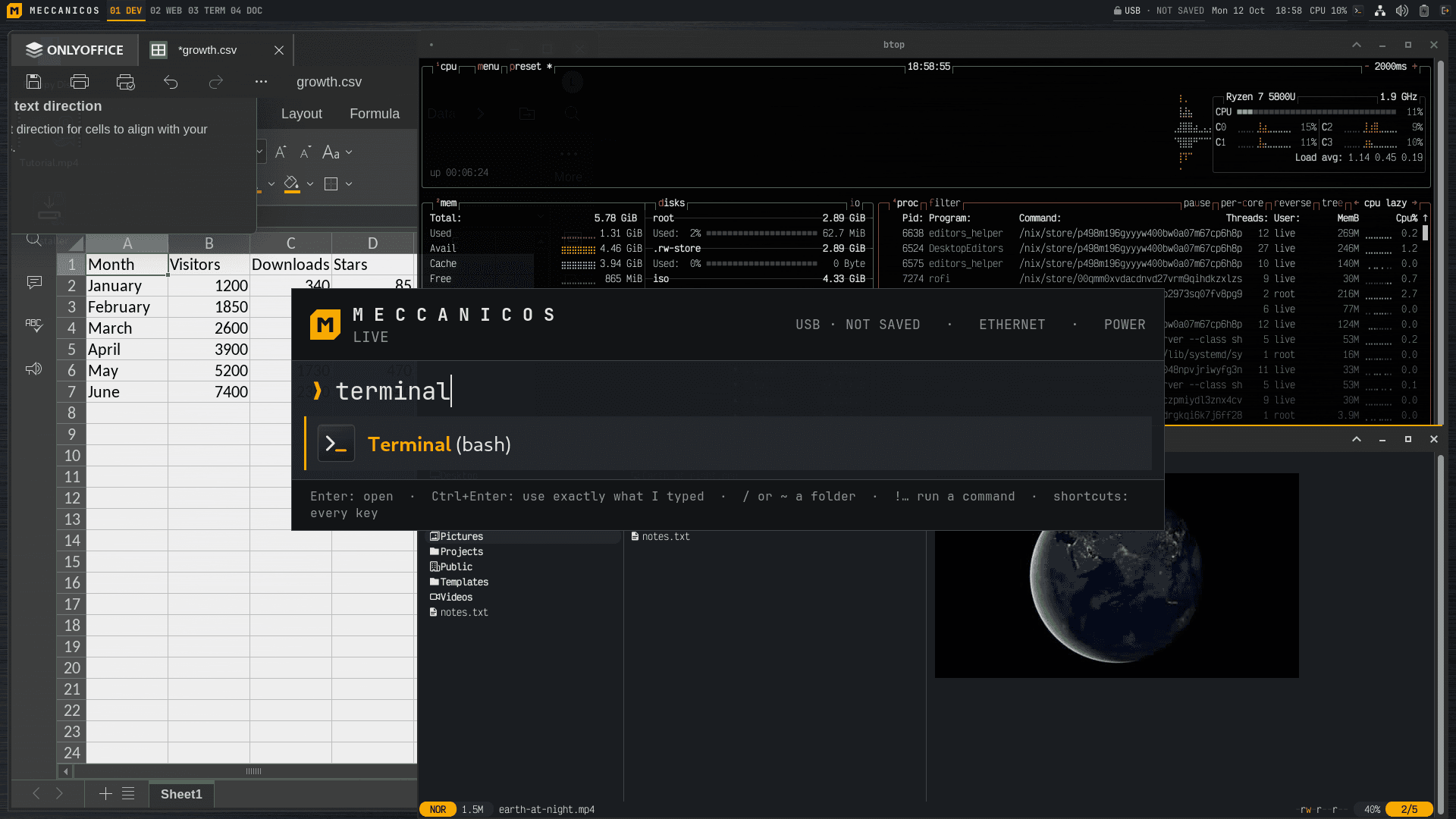
No start menu. Super+Space opens one command bar for apps, commands, websites, folders and questions.
The desktop, the included apps and the drivers are on the stick, and installing needs no network. More apps and local AI models are downloaded once, when you ask for them.
Installed: the whole disk encrypted (LUKS2). Live: the session stays in memory, and your vaults and persistent home are encrypted. A hardened kernel, a firewall, login alerts. For convenience sudo asks no password, and an installed system has an SSH server (keys only) that is off until you turn it on.
One way to open any file, one look for every tool, apps named by what they do: "Web Browser (Brave)".
The whole system is one Nix flake. Upgrades are atomic: a failed one changes nothing, and you can roll back.
MeccanicOS comes with a large collection of drivers and firmware (all of it freely redistributable): Mesa and Vulkan, video acceleration, PipeWire, Bluetooth, printers and scanners, NVIDIA's driver picked by itself. Hardening never gets in a driver's way.
Only freely redistributable software, so you may share any ISO you build.
What you get on the stick.
Type part of an app name, a website, a command, a path (~/Documents opens it in yazi) or !command to run it in a new shell. ?question asks the AI.
Run from USB with nothing kept, keep your home encrypted on the stick, or install to the disk from one page. What survives a restart.
LUKS2 vaults in the stick's free space, and on Ventoy sticks as files next to the ISO.
open FILE works like on a Mac, and the same rules apply in the shell, yazi, mc, fzf and on a double-click.
With a network: search nixpkgs' 120,000 packages, try an app without installing it, or give one folder its own tools with direnv.
Local AI after a one-time model download (Qwen3 through Ollama, ~2.5 GB; then offline, and nothing leaves the computer), or Claude, ChatGPT or Grok with your API key (your questions go to that company).
Copy any text and an offline voice (Piper) reads it, sentence by sentence.
An alert on an SSH login from somewhere new or an SSH attack, never more than a few an hour. One key disconnects everything.
Encrypted, every night or when you plug in the disk, or to the cloud. Get back any earlier version of a file from a right-click.
Common settings in one place, exported to another computer in one file; a doctor that finds problems and offers a fix.
Text grows with large and sharp screens by itself; icons keep their size.
VictorMono Nerd Font, Atuin history, fzf, zoxide, yazi with image previews and drag and drop.
Run all of an organization's computers on MeccanicOS from one MeccanicOS server, with git, SSH and SQLite: one repository says what each computer runs and who logs in where; disk unlocking with Tang, the TPM or a security key.
A tutorial video with subtitles on every desktop, filmed in a VM from the same system; the manual is on the stick too (Help in the command bar).
You meet them by name in the command bar (Super+Space); in a terminal, every mos-* command answers --help and mos lists them all. The full-screen ones look and work the same way: a teal title bar, the keys at the bottom, and whatever Enter acts on in orange. Click a screenshot to enlarge it.
All on the stick, all working offline. More with apps install NAME.
Texto de meccanicos.com tal como lo publicó, leído de su página y mostrado aquí con el formato de El Autómata. El original, en meccanicos.com · Volver a la noticia de El Autómata